Top positive review
4 people found this helpful
Was concerned about a "Brother" after using Xerox & HP. NO MORE WORRIES!
By Lily Rubinstein on Reviewed in the United States on July 9, 2020
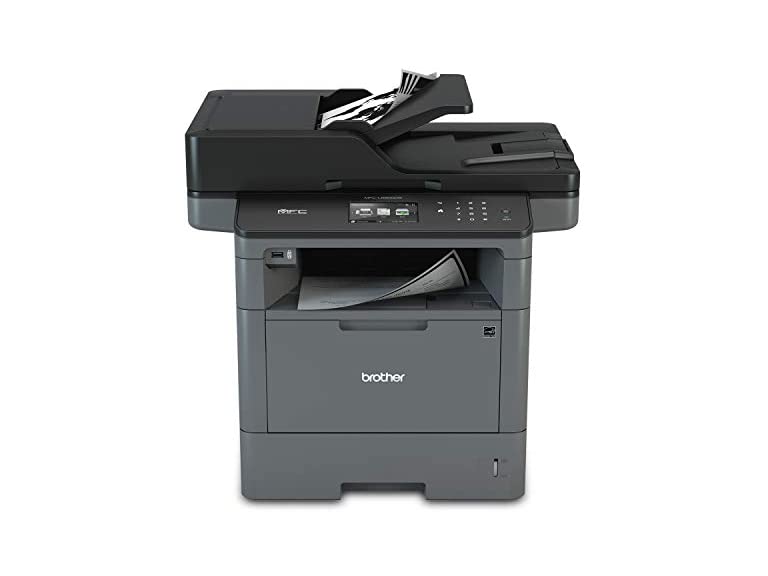
After many good years (11+) of service, my Xerox multifunction died. The reviews for the newer/current models weren't very positive, so I began looking elsewhere. After doing some comparison shopping, I cautiously decided on the Brother L59000W, along with a second paper tray. First, I was AMAZED at the speed with which this unit "woke up", and the printing speed. WOW! The auto-feed (i hope I don't jinx it!) works flawlessly, although the copies are sometimes slightly angled. Scanning is a pleasure, using the software installed on my desktop. The only negative is that the toner cartridge seems to "leak", causing anywhere from one, to a few black dots appear on the printed page. For the most part, cleaning the housing every so often, seems to fix the problem. To be fair; I'm using a hi-capacity cartridge, and have not had the opportunity to try a new one, as yet - perhaps a new cartridge will alleviate the "dot" problem altogether. Other than that, I would highly recommend this unit. If you need pristine copies, check it out first if you can.
Top critical review
19 people found this helpful
Had to return it
By Eric S on Reviewed in the United States on December 27, 2019
I had purchased this printer along with a 4-pack of toner and a 2-pack of drums from other sellers on Amazon so I'd have them all in stock and ready when needed. I unboxed this printer and installed it on our networked print server. Added it to my list of printers on my laptop. Testing printing... Great! Tested copying... Great! Tested scanning to email... Great! Wait, it went offline in the next 5 minutes. Tried scanning again, nothing. Tried printing, nothing. I could ping it and I could access the IP address via the web browser. But it showed as offline and I couldn't print or scan. Rebooted, scanned and it worked. A few minutes later it was offline again. Made sure all "timeout" options in the settings were maxed out. No dice. Factory reset, reinstalled under different IP, tried different drivers... No dice. Sent a message to the seller asking for help in troubleshooting, no answer. Contacted Brother Support directly. They suggested a few settings to check including firmware update, tried everything they asked, no dice. They brought up our network firewall and to check some settings in there, still no dice. They suggested our network is the issue and asked if I can try installing it on a different network / environment. No, I don't have a different network to test on. We have 20-25 printers on our network including Konica Minolta, Kyocera, Brother, HP and Canon and have not had this issue with any other printer. So I had to return the printer (and all the extra toner & drums I ordered for it). I messaged Brother back and let them know I'd returned it because we'd already wasted 2 weeks troubleshooting to no avail. They didn't even acknowledge my final message to apologize or comment on it, they just closed the ticket on their end. I will not be buying any more Brother printers. The machine was a piece of junk and the support was just as bad... especially considering I never heard back from my initial message to the actual seller. On a brighter note, I ended up purchasing a Canon ImageClass D1620 as an alternative and it's been working flawlessly ever since. The Canon printer turned out to be the machine that the Brother failed to live up to. I'd recommend you buy the Canon instead.
Sort by:
Filter by:
By -
Verified Amazon Purchase
Vine Customer Review of Free Product
Sorry, no reviews match your current selections.
Try clearing or changing some filters.Show all reviews
Show more reviews