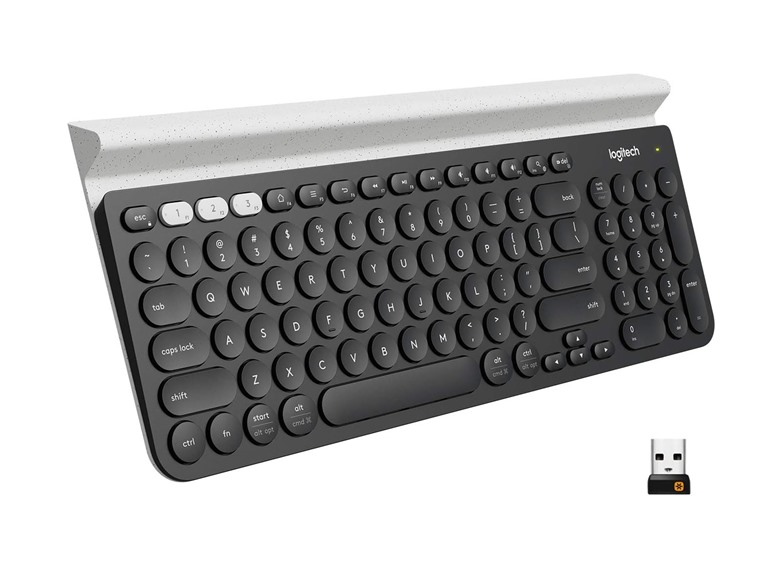
Logitech K780 Multi-Device Wireless Keyboard
$36.99
$64.99
43% off
Reference Price
Condition: New
Style: Open Box
Top positive review
23 people found this helpful
Great keyboard with a great look & feel
By MyOpinion on Reviewed in the United States on August 14, 2024
This keyboard is great. I got this for someone else in my home after they tried my K380 (Which is basically the same keyboard minus the aluminum holder at the top and no numpad on the right). They're super happy with it and loves how the keys feel and operate. This isn't a mechanical keyboard but still super nice. One of the best things about the keyboard is the ability to pair it with 3 different devices. To change between devices you just have to push the corresponding button that matches the device you want to use. The keyboard is Bluetooth and also comes with 2.4Ghz Logitech unifying usb receiver. It's powered by two AAA Batteries. To remove the battery cover you slide the door towards the center of the keyboard and not to the edge like you would imagine. The keyboard does have a power switch on the right narrow edge that you can manually power down with but typically you won't need it as they keyboard does go to sleep after not being used. If the keyboard goes to sleep you will want to press the button that corresponds to the numbered item you want to use, you will need to wait a moment until the button stops blinking. To pair the device to something using bluetooth simply press and hold the numbered button until it blinks rapidly then open your bluetooth settings and locate the keyboard in the list of devices. This keyboard is labeled for both a Windows computer and a Mac. I personally use the keyboard with a Mac. Pros: Great keyboard Very well made Comes with Duracell batteries Comes with a unifying receiver for devices that may not have bluetooth or if you don't want to use it that way Keys feel good when typing and are a good size for small or large hands Can be used with a total of 4 devices Easily switchable between multiple devices with the push of a button Switch to manually power off, this would be good if you need to take it with you and need to toss it into a bag Cons: If you must have a device with its own built in rechargeable battery this one may not be the keyboard for you. No way to remove the aluminum stand if you don't plan to use it Has a bit of extra weight from other keyboards but that's likely due to the aluminum
Top critical review
Doesn’t Really Meet Expectations
By JustMe on Reviewed in the United States on March 15, 2026
The keyboard build quality is typical of Logitech, solid with a feel of quality. However, the keyboard overall is a bit of a letdown. First the built in phone/tablet stand it a bit of a joke, it’s tilt leans too far back to be useful and too narrow to fit my iPhone with a very thin case. My iPad feels like it’s about to fall over when in the tray and I can barely swipe up from the bottom to close an app because the edge of the keyboard covers most of the lower part of the screen. Also the keyboard is meant to be Mac/Win so the keys have markings for both except the Mac markings are in a light gray color that blends in with the keys. There is also no indicator for caps lock or num lock. Also the placement of the FN/Control key is odd. Lastly, it uses AAA batteries, why? Most mice and keyboards use AA. So now I have to buy some AAA Rechargeable batteries just for this keyboard. Ok, one more thing, the round keys also take a getting used to. So in summary, good quality but not great design/usability.
Sort by:
Filter by:
By -
Verified Amazon Purchase
Vine Customer Review of Free Product
Sorry, no reviews match your current selections.
Try clearing or changing some filters.Show all reviews
Show more reviews