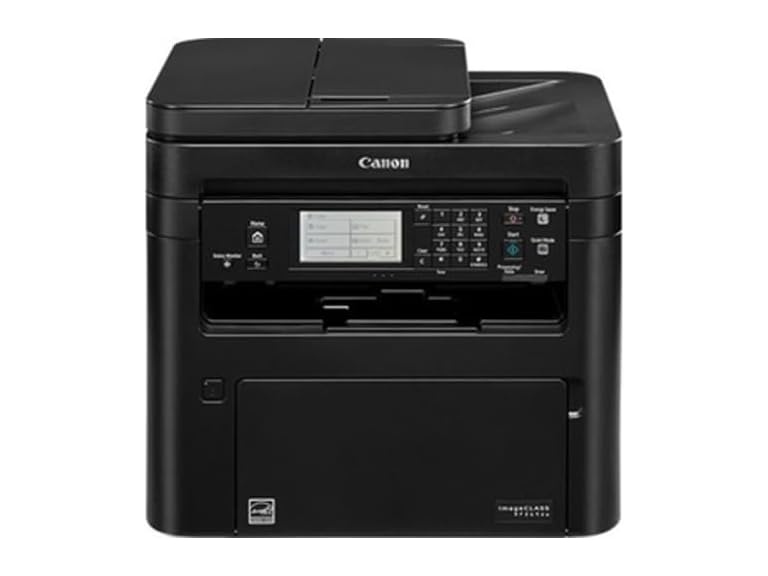
Canon imageCLASS MF269dw All-in-One Laser Printer
$159.99
$468
66% off
Reference Price
Condition: Refurbished
Top positive review
197 people found this helpful
DON'T LISTEN TO ALL THE NEGATIVE REVIEWS!!!
By Megan A. Rheaume on Reviewed in the United States on April 23, 2019
So of course I had reservations about this product after reading all the reviews about how hard it is to set up, isn't truly wireless, can't print from other devices, etc. Soooooo I just got this printer delivered and hooked up last night and found it extremely easy, but I do have to say, the manual that comes with it is not very helpful. My husband and I went directly to the Canon website and there is literally a how-to video on how to set up everything from start to finish. I literally had it set up and working in less than an hour. So complaint # 1 squashed. Complaints # 2 and 3 kind of go hand in hand. So using the how-to video, we set the printer up directly to our in-home Wi-Fi. If you have an internet connection and you can connect to it with your phone, tablet, etc, your Canon printer will connect to it too. You just have to put in your Wi-Fi password directly onto the screen on the printer using the alpha/numeric key pad. Not hard at all. Complaint # 2 squashed. Then we test printed from my computer, which is the main computer in the house, my husband's lap top, (which he did install the printer and driver on his laptop), printed fine. We test printed from our phones and that worked too! And we didn't even have to install or download Apple Air Print or any of the other aps that the reviews mention. Because we set it up wirelessly to our Wi-Fi network and our phones are obviously on the same network, we were able to print without a problem. Complaint # 3 squashed. Now with all that being said, I do think this printer is better suited for at home use than in a busy office environment. I'm used to large heavy duty Kyocera 3 in 1s that are much faster than this machine, especially duplex copying and scanning. But for a compact machine that can do all these functions wirelessly?? It's amazing for at home use or use in a small office. I love the product and am extremely pleased with my purchase! You can't get better for the money!
Top critical review
17 people found this helpful
Scan Utility is poorly written and buggy
By Martin Steiner on Reviewed in the United States on October 14, 2019
Installation. Watch the video on the web site. Download the latest drivers from the web site. Download the scanning software from the web site. Do not use the CD ROM. Registration. I had problems registering my printer because the web site would not accept the printer serial number. I registered the printer by removing the leading digit from the serial number. When I contacted technical support, I was told the web site was being updated to handle the new serial numbers. My printer was manufactured in March 2019 and I was registering the product in September 2019. How long does it take to modify the web site to accept new serial numbers? Support. There is no email support. I waited on hold for 38 minutes before a support representative came on the line. I spent an hour reviewing my problems with her. I also spent time filling out a survey on the support call. I was contacted by the Support Manager and we spent another 20 minutes reviewing my issues. MF Scan Utility. This software has the look and feel of a program written in 1995 by someone who did not understand how it would be used. I will not enumerate everything wrong with this program but explain the reason I contacted technical support. After scanning a document, I wanted the document to be displayed with Adobe Acrobat. The document was scanned but Adobe Acrobat could not find the file. After working with the technical support representative, we found Adobe Acrobat would work with some folders but not others. The technical support representative’s conclusion was it must be something in my computer configuration causing the problem. Later that day, I determined the cause of the problem. If you specify a file name or folder name containing a space, the complete file name will not be passed to Abode Acrobat correctly. Canon knows about this problem and they’ve known about this problem for a long time. I wasted a lot of time trying to determine the cause of this problem. Why hasn’t the problem been fixed? It’s an easy fix. The only answer I can come up with is that Canon does not care about its end users. Canon, the programmers, the QA department and technical support should all be embarrassed. I bought a Canon ink jet printer in 2010. It’s scanning program was excellent. All Canon needed to do was use the same software and modify it for the laser printer. Based on my problems, I will never buy another Canon printer again.
Sort by:
Filter by:
By -
Verified Amazon Purchase
Vine Customer Review of Free Product
Sorry, no reviews match your current selections.
Try clearing or changing some filters.Show all reviews
Show more reviews