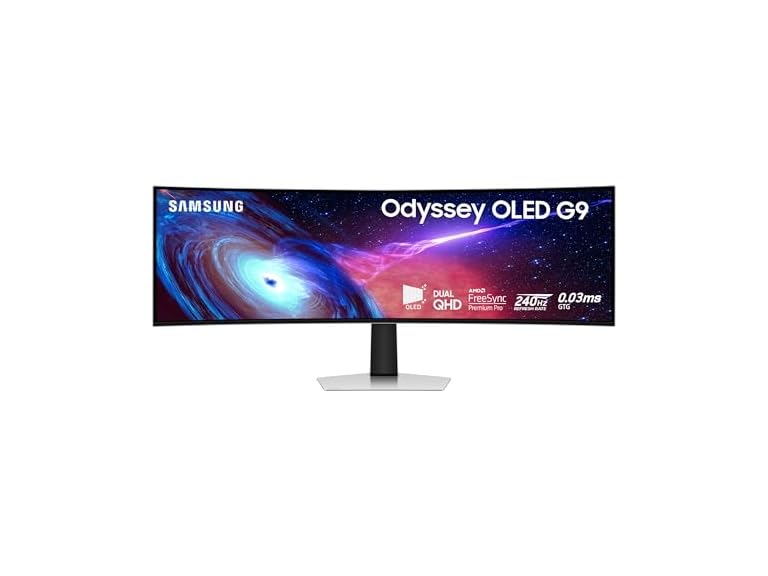
Samsung 49" DQHD Curved Monitor | LS49CG932SNXZA
$869.99
Condition: New
Model: LS49CG932SNXZA
Screen Size: 49"
Top positive review
23 people found this helpful
Excellent Monitor and better than the 95SC
By Mike on Reviewed in the United States on October 15, 2025
I'm about 10 days in owning this and so far the experience has been exceptional. I work from home and play at night, so this thing gets about 10 hours of use per weekday. I knew what I was getting into when I chose this model and I feel like I made the right choice. The 93SC is a bare boned version of the 95SC, without the questionable "Smart TV" features and fewer ports. The screen is the same though. My work PC, via HDMI with Intel Iris Xe graphics, looks amazing. I'm coming from 2 4K monitors, so the text is not as crisp. However, after day 2 or so, my eyes adjusted and don't notice the difference anymore. The upshot is a seamless work experience with EXCEPTIONAL colors and black blacks. Plenty of room for MANY windows and using Windows Snapping (Windows Key+ Arrows) makes positioning work windows a breeze. Sharing my screen via Teams was initially an issue until I found the "RegionToShare" app on the Windows store. My Gaming PC, via DisplayPort with an NVIDIA 4070 Super is setup for HDR gaming. Out of the box there was little to adjust, although I've been playing around with settings I've found on various sites. HDR in particular is VERY impressive and the sense of immersion in games like Flight Simulator and Forza is literally a game-changer. So, overall very happy and impressed. I also need to mention the stand. It your typical up/down/tilt affair, but the BASE IS FLAT. I overlooked this when researching and it was a pleasant bonus. Being flat, I gained all of that desk space back! So, the downsides? Well, it's OLED, so you need to be aware of burn in potential. Pixel Shifting is on by default, which is good and I have my screensaver set to blank after 2 minutes of inactivity on both machines. However, there is a "pixel cleaning" feature that isn't well documented. After a certain period of use, when you turn the monitor off, it goes into this mode for about 15 minutes. If you tend to unplug your gear when done for the day, you'll need to wait for this to finish. Also, the box. It'll take you 3 or 4 trash days to get rid of the 10lbs of packing material (funny but accurate). In summary, I'm very happy with my purchase and would definitely recommend this of the 95SC, which only comes with features that make the experience worse in my opinion. If you really want Smart TV features, just add a Roku or Fire Stick to that other HDMI port.
Top critical review
18 people found this helpful
Hidden $150 Maintenance Fee Every 8 Months
By yioti on Reviewed in the United States on December 16, 2025
The Menu Joystick broke after 8 months. It broke through regular use. It is made of plastic and split in half. I can clearly see a void in the plastic which to me as an engineer is a clear injection molding defect. I have the non-smart version of this monitor. That menu joystick is the only way to interact with the menu. I can no longer do that. I've had some fun with this monitor, I use it to game and when I work from home. I need to use the menu to change inputs from work to personal pc and vise versa. I need the joystick to change ANY settings on this monitor. Its stuck on one input and whatever settings there were before the Menu Joystick failed. I tried to get the joystick repaired under warantee and Samsung claims it's not a manufacturing defect that the joystick broke from regular use. It falls under physical damage which is not covered by warantee. A very roundabout way to say the Menu Joystick is designed to fail. Samsung is incapable of telling me how much it would cost to repair. A technician must inspect it first and the technician will tell me how much it will cost. Even if I say no once I find out how much the repair will cost, I will be charged for the technician coming out. Ridiculous. No cost transparency on top of poor design and warantee service. I'm very disappointed in Samsung. Plenty of others have this issue online and have been charged $150 to have it fixed. If you want to use the monitor long term factor in a $150 maintenance fee every 8 months to have the Menu Joystick replaced. No one in their right mind would pay to replace a part that is designed to fail. So don't do that. There are other options out there, at least don't give Samsung any more money to maintain their poor design. Look into a local technician or maybe even replacing the broken Joystic with a 3D printed one. Or maybe Samsung could do the right thing and fix this Manufacturing defect under warantee instead of claiming there isn't one. Even better replace the oart with one that will last.
Sort by:
Filter by:
By -
Verified Amazon Purchase
Vine Customer Review of Free Product
Sorry, no reviews match your current selections.
Try clearing or changing some filters.Show all reviews
Show more reviews